





Set up and use your planner
Choose your planner below, then explore its pages one at a time. Start at the beginning or head straight to the section you need.
What it's for
A handy home for the everyday details you reach for, from your school's contact number to useful websites.
How to use it
Add your name, school details and general contact information first. Jot down the websites you use often so they're easy to find.
A little tip
Keep passwords and sensitive personal details in your school's approved secure systems.
Have handy
A pencil
What it's for
A place for the dates that matter to your class and school, along with birthdays and celebrations you'd like to remember.
How to use it
Check your school calendar, then add events and deadlines. Come back when dates change or something new is booked.
A little tip
Pop important dates into the matching weekly spread too, so you see them when you're planning.
Have handy
Your school calendar and a pencil
What it's for
Space to sketch a classroom layout, map out an idea or make a simple tracker. The grid helps keep it easy to follow.
How to use it
Choose one job for the page. For a room layout, sketch the furniture first, then try a few arrangements.
A little tip
Start in pencil and leave a little spare space. You can adjust your plan as you work out what suits your classroom.
Have handy
A pencil and ruler
What it's for
A view of the year to help you see when the busy stretches are coming.
How to use it
Use your school's calendar to mark terms, holidays and pupil-free days. Add larger commitments, such as camps and report deadlines.
A little tip
Check printed dates against your school's calendar, and use pencil for anything still to be confirmed.
Have handy
Your school calendar and a pencil
What it's for
A place to map out teaching, assessment and events across the term before you plan the detail.
How to use it
Add fixed dates first, then sketch in topics and learning goals. Check how many teaching weeks your school has this term.
A little tip
Leave some breathing room. A broad plan is enough here; the smaller details can go in as you need them.
Have handy
Your school calendar and a pencil
What it's for
Flexible space for whatever needs a little more room, from subject planning to a new idea or a personal goal.
How to use it
Give each area a heading that makes sense to you, then add notes or sketch out your thinking. A brainstorm is a perfectly good place to start.
A little tip
You don't have to fill every space. Use what helps now and let the rest wait until you need it.
Have handy
A pencil
What it's for
Your teaching week in one place, so you can see what's coming and plan around the commitments already in the diary.
How to use it
Add specialist lessons, duties and meetings first. Fill in your teaching plans around them, then bring across reminders from your special days and term overview.
A little tip
Keep plans in pencil while the timetable settles. Leave a little room for the things that pop up along the way.
Have handy
Your school calendar and a pencil
What it's for
A place to keep track of professional learning and the ideas you'd like to bring back to your classroom.
How to use it
After a session, jot down the date, topic and time spent. Add a short note about something useful or one idea you'd like to try.
A little tip
A quick note on the day is easier than trying to remember it all at the end of term.
Have handy
A pencil
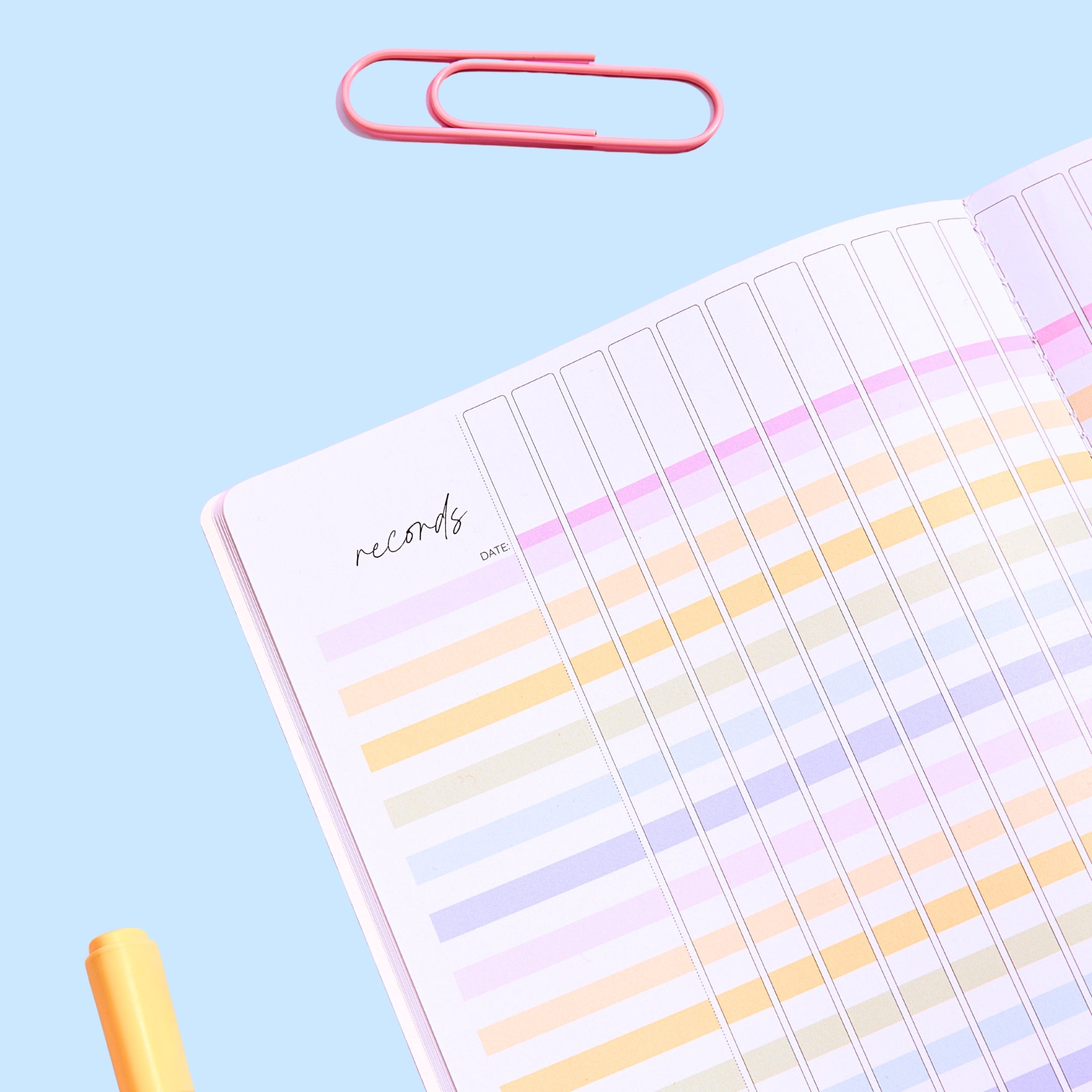
What it's for
A flexible place to track class tasks, completed work or other everyday classroom records.
How to use it
Choose a clear purpose for the page, then label the columns before you begin. Use the same simple marks each time so you can read it at a glance.
A little tip
Follow your school's recordkeeping guidance, and keep sensitive personal details in approved secure systems.
Have handy
A pencil and ruler
What it's for
A handy home for the everyday details you reach for, from your school's contact number to useful websites.
How to use it
Add your name, school details and general contact information first. Jot down the websites you use often so they're easy to find.
A little tip
Keep passwords and sensitive personal details in your school's approved secure systems.
Have handy
A pencil
What it's for
A place for the dates that matter to your class and school, along with birthdays and celebrations you'd like to remember.
How to use it
Check your school calendar, then add events and deadlines. Come back when dates change or something new is booked.
A little tip
Pop important dates into the matching weekly spread too, so you see them when you're planning.
Have handy
Your school calendar and a pencil
What it's for
Space to sketch a classroom layout, map out an idea or make a simple tracker. The grid helps keep it easy to follow.
How to use it
Choose one job for the page. For a room layout, sketch the furniture first, then try a few arrangements.
A little tip
Start in pencil and leave a little spare space. You can adjust your plan as you work out what suits your classroom.
Have handy
A pencil and ruler
What it's for
A view of the year to help you see when the busy stretches are coming.
How to use it
Use your school's calendar to mark terms, holidays and pupil-free days. Add larger commitments, such as camps and report deadlines.
A little tip
Check printed dates against your school's calendar, and use pencil for anything still to be confirmed.
Have handy
Your school calendar and a pencil
What it's for
Flexible space for whatever needs a little more room, from subject planning to a new idea or a personal goal.
How to use it
Give each area a heading that makes sense to you, then add notes or sketch out your thinking. A brainstorm is a perfectly good place to start.
A little tip
You don't have to fill every space. Use what helps now and let the rest wait until you need it.
Have handy
A pencil
What it's for
A place to map out teaching, assessment and events across the term before you plan the detail.
How to use it
Add fixed dates first, then sketch in topics and learning goals. Check how many teaching weeks your school has this term.
A little tip
Leave some breathing room. A broad plan is enough here; the smaller details can go in as you need them.
Have handy
Your school calendar and a pencil
What it's for
Your teaching week in one place, so you can see what's coming and plan around the commitments already in the diary.
How to use it
Add specialist lessons, duties and meetings first. Fill in your teaching plans around them, then bring across reminders from your special days and term overview.
A little tip
Keep plans in pencil while the timetable settles. Leave a little room for the things that pop up along the way.
Have handy
Your school calendar and a pencil
What it's for
A place to keep track of professional learning and the ideas you'd like to bring back to your classroom.
How to use it
After a session, jot down the date, topic and time spent. Add a short note about something useful or one idea you'd like to try.
A little tip
A quick note on the day is easier than trying to remember it all at the end of term.
Have handy
A pencil
What it's for
A flexible place to track class tasks, completed work or other everyday classroom records.
How to use it
Choose a clear purpose for the page, then label the columns before you begin. Use the same simple marks each time so you can read it at a glance.
A little tip
Follow your school's recordkeeping guidance, and keep sensitive personal details in approved secure systems.
Have handy
A pencil and ruler
What it's for
A handy home for the everyday details you reach for, from your school's contact number to useful websites.
How to use it
Add your name, school details and general contact information first. Jot down the websites you use often so they're easy to find.
A little tip
Keep passwords and sensitive personal details in your school's approved secure systems.
Have handy
A pencil
What it's for
A place for the dates that matter to your class and school, along with birthdays and celebrations you'd like to remember.
How to use it
Check your school calendar, then add events and deadlines. Come back when dates change or something new is booked.
A little tip
Pop important dates into the matching weekly spread too, so you see them when you're planning.
Have handy
Your school calendar and a pencil
What it's for
Space to sketch a classroom layout, map out an idea or make a simple tracker. The grid helps keep it easy to follow.
How to use it
Choose one job for the page. For a room layout, sketch the furniture first, then try a few arrangements.
A little tip
Start in pencil and leave a little spare space. You can adjust your plan as you work out what suits your classroom.
Have handy
A pencil and ruler
What it's for
Flexible space for whatever needs a little more room, from subject planning to a new idea or a personal goal.
How to use it
Give each area a heading that makes sense to you, then add notes or sketch out your thinking. A brainstorm is a perfectly good place to start.
A little tip
You don't have to fill every space. Use what helps now and let the rest wait until you need it.
Have handy
A pencil
What it's for
A place to map out teaching, assessment and events across the term before you plan the detail.
How to use it
Add fixed dates first, then sketch in topics and learning goals. Check how many teaching weeks your school has this term.
A little tip
Leave some breathing room. A broad plan is enough here; the smaller details can go in as you need them.
Have handy
Your school calendar and a pencil
What it's for
Your teaching week in one place, so you can see what's coming and plan around the commitments already in the diary.
How to use it
Add specialist lessons, duties and meetings first. Fill in your teaching plans around them, then bring across reminders from your special days and term overview.
A little tip
Keep plans in pencil while the timetable settles. Leave a little room for the things that pop up along the way.
Have handy
Your school calendar and a pencil
What it's for
A place to keep track of professional learning and the ideas you'd like to bring back to your classroom.
How to use it
After a session, jot down the date, topic and time spent. Add a short note about something useful or one idea you'd like to try.
A little tip
A quick note on the day is easier than trying to remember it all at the end of term.
Have handy
A pencil
What it's for
A flexible place to track class tasks, completed work or other everyday classroom records.
How to use it
Choose a clear purpose for the page, then label the columns before you begin. Use the same simple marks each time so you can read it at a glance.
A little tip
Follow your school's recordkeeping guidance, and keep sensitive personal details in approved secure systems.
Have handy
A pencil and ruler
What it's for
A handy home for the everyday details you reach for, from your school's contact number to useful websites.
How to use it
Add your name, school details and general contact information first. Jot down the websites you use often so they're easy to find.
A little tip
Keep passwords and sensitive personal details in your school's approved secure systems.
Have handy
A pencil
What it's for
A place for the dates that matter to your class and school, along with birthdays and celebrations you'd like to remember.
How to use it
Check your school calendar, then add events and deadlines. Come back when dates change or something new is booked.
A little tip
Copy dates into the relevant daily page or weekend space too, so you see them when you're planning.
Have handy
Your school calendar and a pencil
What it's for
Space to sketch a classroom layout, map out an idea or make a simple tracker. The grid helps keep it easy to follow.
How to use it
Choose one job for the page. For a room layout, sketch the furniture first, then try a few arrangements.
A little tip
Start in pencil and leave a little spare space. You can adjust your plan as you work out what suits your classroom.
Have handy
A pencil and ruler
What it's for
Flexible space for whatever needs a little more room, from subject planning to a new idea or a personal goal.
How to use it
Give each area a heading that makes sense to you, then add notes or sketch out your thinking. A brainstorm is a perfectly good place to start.
A little tip
You don't have to fill every space. Use what helps now and let the rest wait until you need it.
Have handy
A pencil
What it's for
A place to map out teaching, assessment and events across the term before you plan the detail.
How to use it
Add fixed dates first, then sketch in topics and learning goals. Check how many teaching weeks your school has this term.
A little tip
Leave some breathing room. A broad plan is enough here; the smaller details can go in as you need them.
Have handy
Your school calendar and a pencil
What it's for
A full page for each school day, with room for lesson details and reminders. The compact weekend area keeps your weekend notes together.
How to use it
Start with the day's fixed commitments, then add lesson plans and anything you need to prepare. Keep weekend reminders brief so they're easy to spot.
A little tip
Leave a little space for notes as the day unfolds. You can use them to pick up where you left off tomorrow.
Have handy
Your school calendar and a pencil
What it's for
A place to keep track of professional learning and the ideas you'd like to bring back to your classroom.
How to use it
After a session, jot down the date, topic and time spent. Add a short note about something useful or one idea you'd like to try.
A little tip
A quick note on the day is easier than trying to remember it all at the end of term.
Have handy
A pencil
What it's for
A flexible place to track class tasks, completed work or other everyday classroom records.
How to use it
Choose a clear purpose for the page, then label the columns before you begin. Use the same simple marks each time so you can read it at a glance.
A little tip
Follow your school's recordkeeping guidance, and keep sensitive personal details in approved secure systems.
Have handy
A pencil and ruler

Is there a page you'd like help with?
Tell us which planner you're using and which page you'd like a hand with. Your questions help us decide what to cover next.

FAQ
A few helpful answers
Still have a question? Email us at support@mrsedgar.com.au
Choose your planner above and start with the introduction page. Add the details and dates you already know, then open the guide for your weekly or daily spread. You don't need to set up every page in one sitting.
Check that you've selected your planner layout: Weekly Bright, Weekly Neutral, Slimline or Daily. Colours and details can vary between layouts and editions. If you're still unsure, let us know your planner's name and year and we'll help you find your way.